Unity App rewards withdrawal guide

Withdraw Unity App rewards in minutes

Follow a guided flow to access your rewards, confirm the right wallet and network, lock in a live quote, and track your payout from start to finish.

Minimum withdrawal amount

$5 USD

Maximum per withdrawal

$150 USD

Popular payout assets

USDC, USDT, ETH, SOL, XRP

Step 1: Access the rewards dashboard

Start by heading to manage.unitynodes.io. Tap “Get Started,” select your role as a License Operator, and log in. Make sure you sign in with the same method you used on your mobile device so your rewards load correctly.

Step 1

Visit the Unity management portal

Go to manage.unitynodes.io and select Get Started to launch the withdrawal journey.

Step 2

Choose your role

As a ULO, select License Operator (operate a single or multiple licenses) to access your rewards.

Step 3

Select your sign-in method

Pick the same sign-in option (web3 wallet or Email + OTP) you used on your phone.

Step 4

Review rewards totals

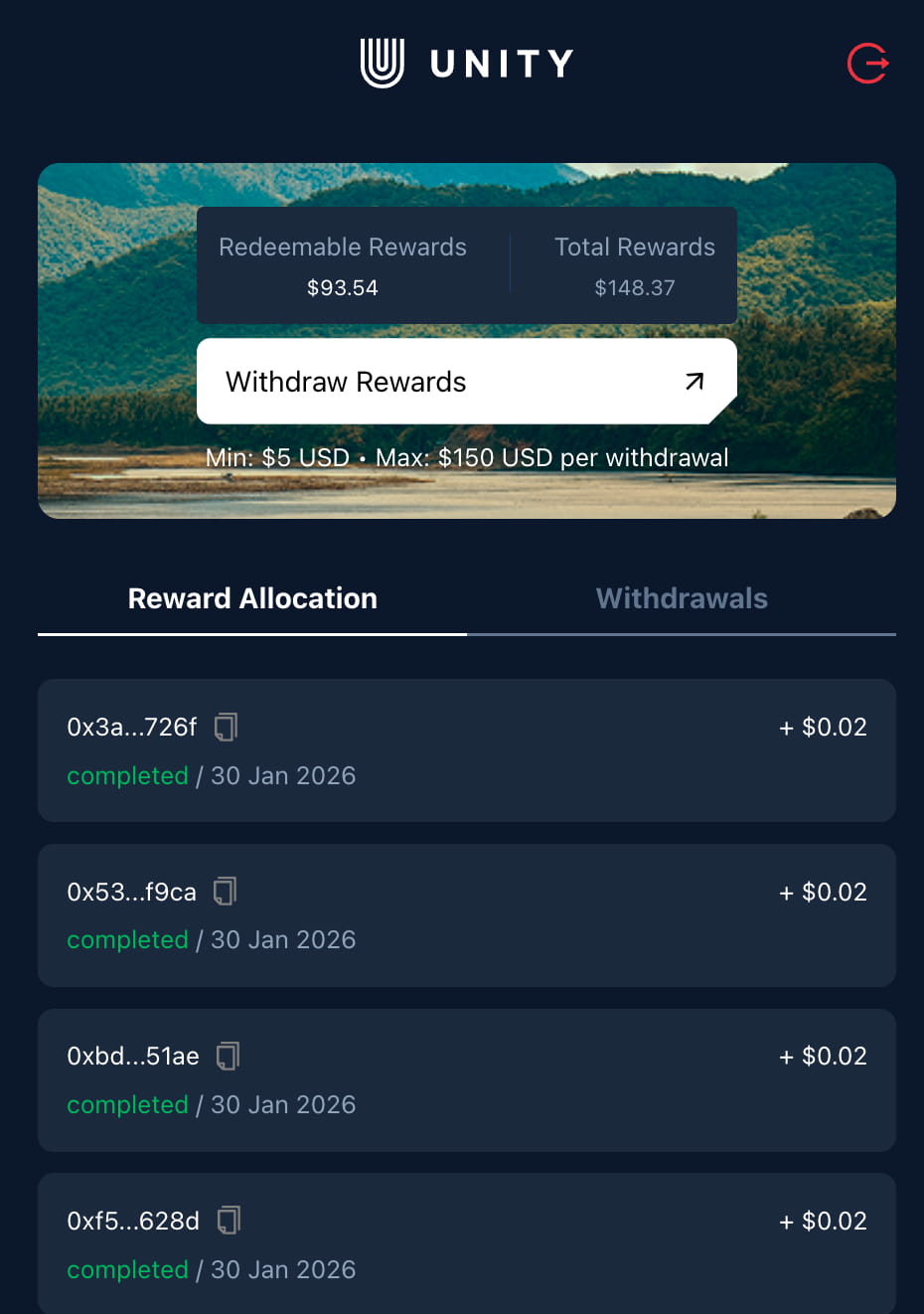
Check Redeemable Rewards (available now) and Total Rewards (lifetime) at the top of the dashboard.

Rewards dashboard preview

You will see Redeemable Rewards and Total Rewards at the top.

Unity rewards main screen

Step 2: Enter withdrawal details

Tap Withdraw Rewards to open the form. Here you will select your wallet, chain, and asset. Always double-check the network and address before continuing.

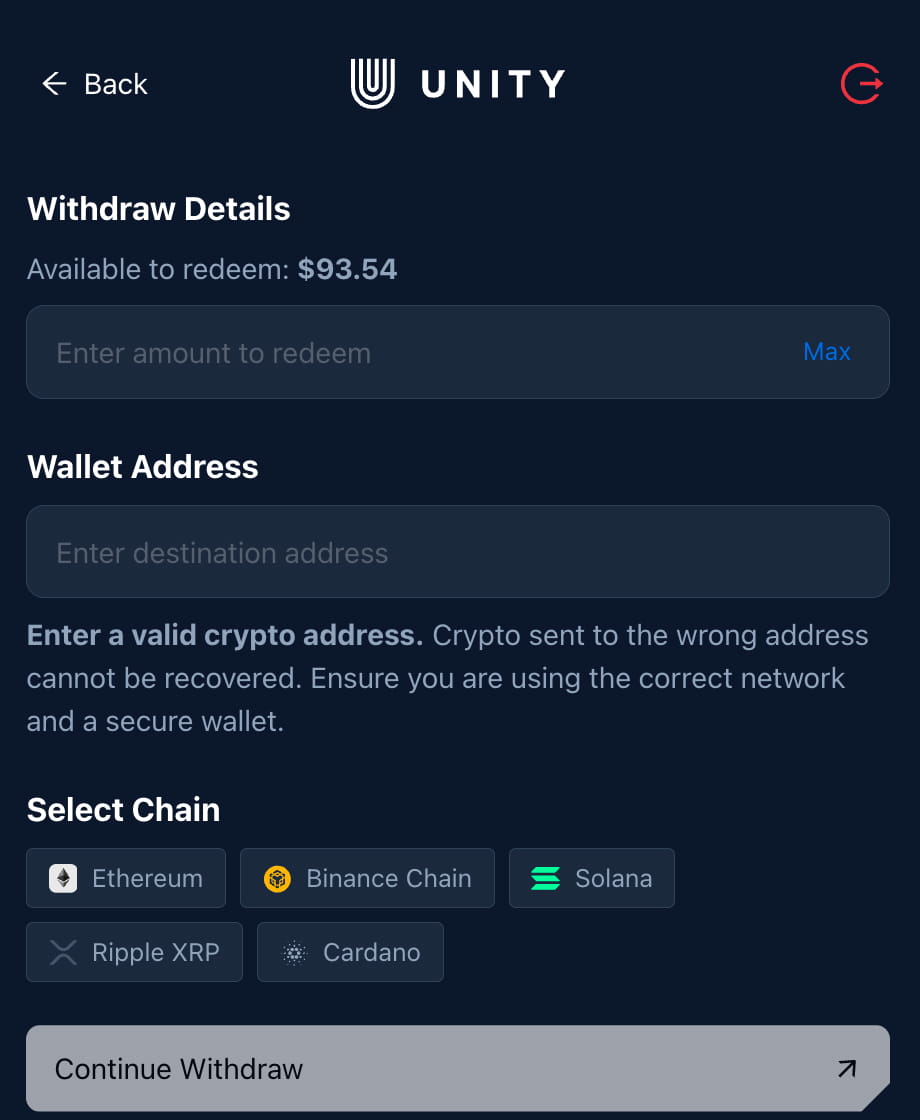
Example available to redeem

$93.54

Wallet address: Enter a valid crypto address (funds sent to the wrong address cannot be recovered).

Select chain: Ethereum, Binance Chain, Solana, Ripple XRP, or Cardano.

Step 1

Open Withdraw Rewards

Tap the Withdraw Rewards button to open the withdrawal details screen for your selected device(s).

Step 2

Enter your wallet address

Paste a valid crypto wallet address and confirm the network. Funds sent to the wrong address cannot be recovered.

Step 3

Pick chain + asset

Choose a supported chain and asset. Example: Ethereum → USDT for a stable withdrawal value.

Step 4

Review the live quote

Select Continue withdraw to review the live quote, including fees and asset amount, before confirming the withdrawal.

Withdraw details preview

Choose the chain and asset you want to receive. Example shown: Ethereum → USDT.

Unity rewards withdrawal details screen

Supported chains & assets

Ethereum

ETH, USDT, USDC, SHIB

Binance Chain

BNB, USDT, USDC

Solana

SOL

Ripple XRP

XRP

Cardano

ADA

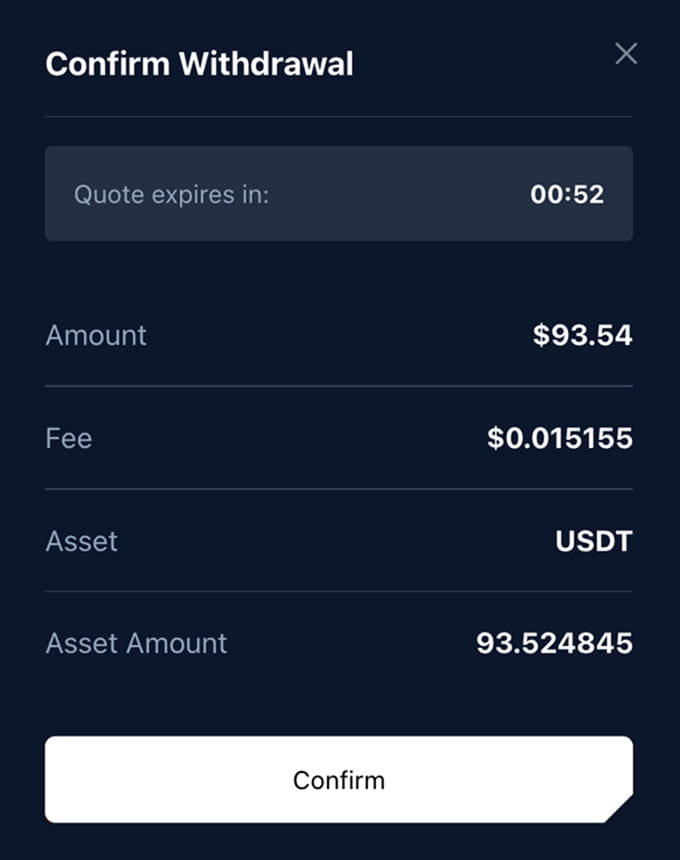
Confirmation preview

Unity rewards quote confirmation screen

Step 3: Confirm the quote

After you select Continue Withdraw, Unity loads a live quote. The quote includes the amount, fee, asset, and the final asset amount you will receive. Confirm the details and submit the withdrawal while the quote is active.

Quote refresh window

Quotes update with market prices. Review the amount and fee before confirming.

Tracking your payout

After confirmation, you will receive a transaction ID so you can track progress.

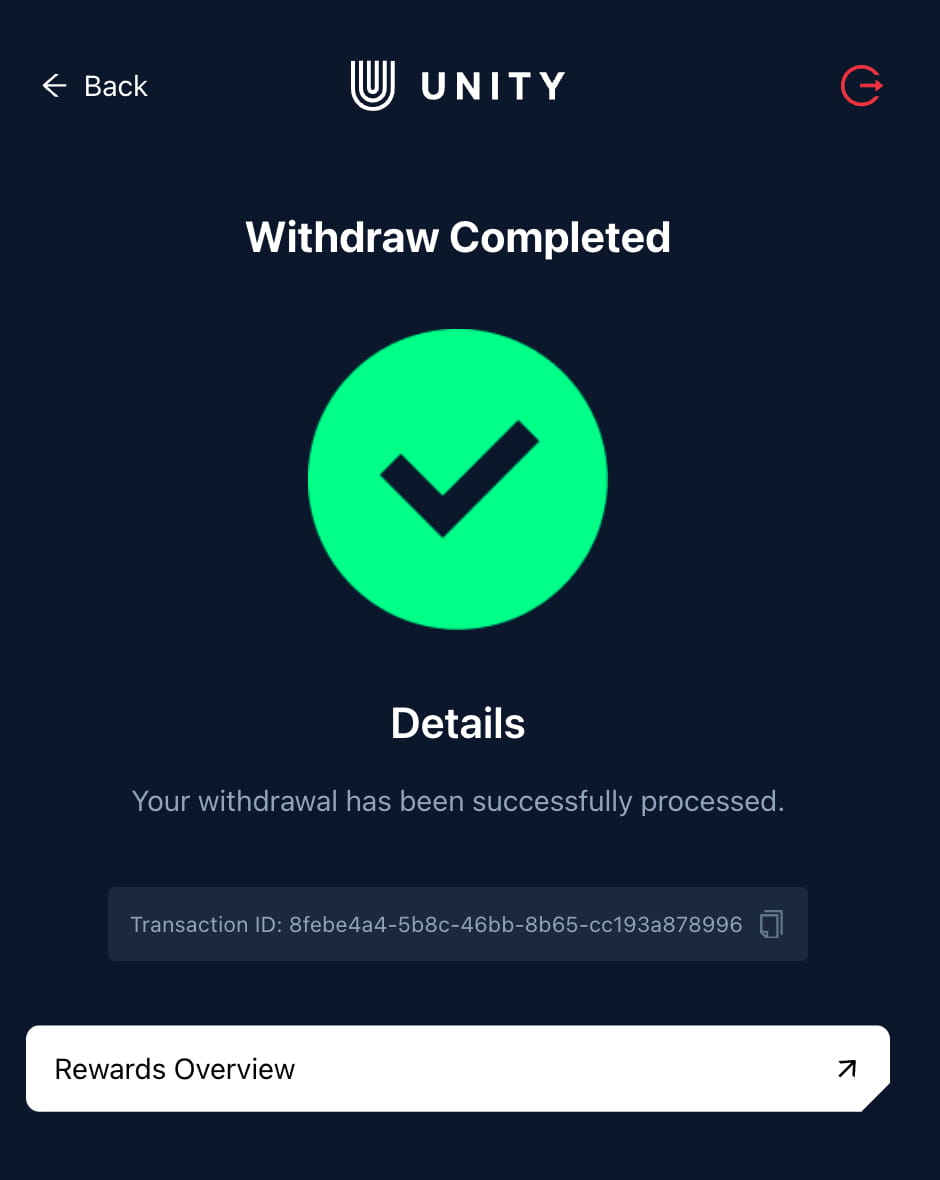
Step 4: Withdrawal completed

Once confirmed, you will see a success screen with your transaction ID. Tap Rewards Overview to track your withdrawal history and keep tabs on past payouts.

Completion preview

Unity rewards withdrawal completed screen

Withdrawals FAQ

How often can you withdraw?

It is not limited. If you have available rewards, you can withdraw them. The limit per withdrawal is $150 USD.

How do I choose between USDT and USDC?

Both are stable assets. Choose the one your wallet or exchange supports on your selected chain.

Can I withdraw to an exchange wallet?

Use caution. Some exchanges require a memo or specific network. A personal wallet is safest if you are unsure.

Where can I see completed withdrawals?

Open Rewards Overview in the portal to view your withdrawal history and transaction IDs. Check also your wallet to see the transactions. It may take a few minutes to show.

Need help?

Contact official support at [email protected] or send us a message on Telegram.

Include these details (only if you contact official support)

  • • Your Unity account email or wallet address.
  • • The chain and asset you attempted to withdraw.
  • • Your transaction ID (if available).