Compatible Device
A supported Android or iOS phone or tablet. Check the app store listing for current operating-system requirements.
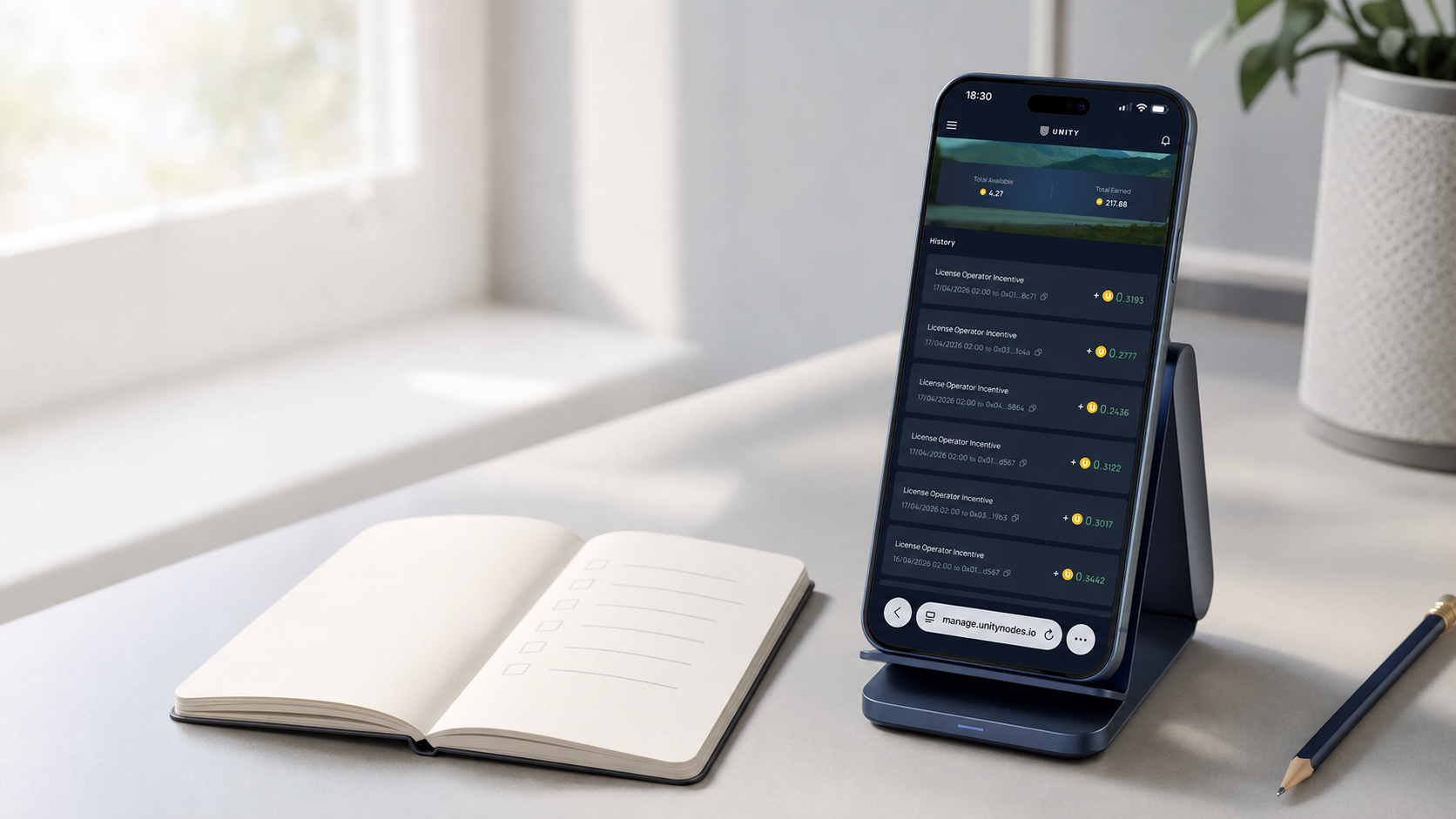
Set up, activate, and manage your Unetwork license.
The Unetwork program keeps global connectivity resilient by auditing telecom and enterprise networks in real time.
Run the Unetwork app to join a people-powered edge network that audits carrier and enterprise systems. By contributing real-world telemetry from your device, you help detect fraud, prevent revenue loss, and uncover risks, outages, and inefficiencies.
This step-by-step Unetwork guide walks you through activation, setup, tasks, rewards, and withdrawals so you can operate confidently within the Unetwork network.
Before activating your Unetwork License, make sure your device and setup meet the requirements below. Doing so ensures smooth operation and maximizes your rewards.
A supported Android or iOS phone or tablet. Check the app store listing for current operating-system requirements.
Download the Unetwork app from Google Play or the Apple App Store .
Use the latest Unetwork app on Android or iOS. Versions earlier than 1.2.2 are unsupported. The branded iOS app includes Extended Telemetry; use version 1.2.3 or later on iOS.
Individual KYC uses Sumsub. Completed ID and address verification through ShuftiPro remains valid. If only your ID was verified, complete ID again and then address verification in Sumsub; previously exhausted attempts have been reset. Documents containing your address may simplify verification.
KYC is required for withdrawals and Scout & Runner onboarding. Where the app allows deferred verification, complete KYC when rewards reach 5 UP or before enabling a task that requires it. Follow the verification prompts in your app.
Keep your device powered and online so background tasks run reliably.
Follow these steps to create your account, link your devices and activate your Unetwork License for rewards participation.
Open the Unetwork app and select “Unetwork.”
Confirm that you want to manage licenses from this device. This establishes your device as an active operator within the Unetwork ecosystem.
Enter your lease code.
Need a lease code? Generate one below, then copy it into the Unetwork app.
Reserve Your License Code
Check live availability, create one code, and activate your Unetwork App right away.
Your lease code
No other split brackets are currently available.
Complete sign-in to connect your account securely.
You can sign in using either a Web3 wallet or an email address with a one-time passcode (OTP). Choose whichever method you prefer to verify ownership and link your device.
Enter your email to receive a one-time code.
Sign in with the email you want to use to manage your Unetwork account.
Type your address into the “Your Email” field, then press Continue to have a one-time code sent to your inbox.
Check your email for the one-time passcode and enter it to finish signing in.
You will receive a one-time code to the email address you entered. Open the message to retrieve your code.
Enter the digits in the “One-Time Code” box, then tap Verify. If the code hasn’t arrived yet, you can request another after the countdown completes.
Bind an available Unetwork License to your device from the Work tab to start earning rewards.
Open Work in the Unetwork app to view the license linked to this device or bind an available one.
If your device isn’t yet linked, select one of your available licenses from the list.
Once bound, the Work tab will show the license details currently linked to your device.
View real-time insights on your license performance, uptime, and rewards.
The Unetwork Dashboard gives you a live snapshot of your Unetwork performance and rewards. From uptime tracking to connection performance and system alerts, everything you need to monitor your license is in one place.
Operating a Unetwork License means entering a digital agreement with a Unetwork Node Operator. It defines your role, how rewards are shared, and how performance is recorded transparently on-chain. Key elements include:
Specifies how verified rewards are divided between you, the License Operator, and your Unetwork Node Operator.
Clarifies whether a network fee applies and who is responsible for paying it.
Defines how long your agreement remains active before renewal.
Your Unetwork License is a special pass for one device (phone or tablet).
It’s a digital token that lets your device securely join the Unetwork network and earn rewards for verified work. Each license is issued and managed by a Unetwork Node Operator under a signed lease agreement.
Single-device license
Assigned to one registered device, such as a phone or tablet.
Node-managed lease
Managed by your assigned Unetwork Node Operator under a digital lease.
Network participation
Enables secure participation in network testing and rewards.
Your job is to set up and run the Unetwork app on your device. Once active, the app quietly verifies the global telecom grid through tasks like:
Device Verification
Your device performs a brief verification task.
On-Chain Recording
Task results are recorded for verification and transparency. The data included depends on the task and the permissions you enable.
Insights Shared
The findings are securely shared with the service provider so they can identify and resolve network issues quickly.
Reward Distribution
Service fees from carriers are distributed among participants. Lease agreements between license owners and lessees are executed automatically according to the agreed reward split.
Every test your phone runs and every data point it collects helps build a more reliable, more connected world. Your participation improves coverage, speeds, and call quality for countless people who rely on the network every day.
As the network expands, your rewards potential grows with it. More participants mean denser coverage, richer data, and stronger foundations for network services and more useful coverage for every participant.
Unetwork is a multi-carrier, multi-country edge network powered by everyday mobile devices. Its decentralized design scales quickly, reaches more regions, and uncovers real-world issues traditional audits miss, all with transparent data and lower costs.
Rewards are based on verified work completed by your device and are divided according to the active lease terms shown in the app.
Reward amounts vary with completed work, service demand, device availability, and the active reward split. The generator and the Unetwork app show the terms that apply to your license.
Rewards are not guaranteed. Keep the device connected and review the app for your verified activity and current balance.
Your share equals the verified rewards credited to the license multiplied by the License Operator percentage in your active lease. Confirm that percentage before generating the code.
Your rewards depend on a few key factors:
Review your available withdrawal methods in the Unetwork app. Supported methods, assets, fees, minimums, and processing times can vary by account and region.
Cryptocurrency
The app lists the crypto assets currently available for your account and region.
Bank transfer
Bank transfer may be available in supported regions. Check the app for eligibility and fees.
The confirmation screen shows any minimum amount and applicable network, conversion, or banking fee before withdrawal.
Costs depend on the active lease terms and your mobile plan.
Review the lease before activation to confirm whether a network fee applies and whether it is paid by you or your Unetwork Node Operator.
Data usage
Network testing uses data. Actual consumption varies with enabled tasks, location, network conditions, and time online. Your mobile carrier may charge for cellular usage.
Review the permissions requested by the Unetwork app and enable only the tasks you choose to run.
Privacy
The app processes device and network measurements needed for enabled verification tasks. Review the in-app privacy information and operating-system permissions for the current scope.
Data consumption
Usage varies with enabled tasks, location, network conditions, and time online. Wi-Fi is preferred when a task supports it.
Battery impact
Background tasks may slightly increase power use, roughly comparable to other light background service apps.
Network metrics
Signal strength, latency, call quality, and connection reliability.
Device info
Anonymized device type and OS version, used for accuracy and to prevent duplicate results.
Location data
Coarse region-level data to locate network faults.
Timestamps & identifiers
Anonymous timestamps and network IDs link test results and verify authenticity.
Fault data
Error types and quality metrics used to classify and record verified network issues.
Answers to common questions about setup, operation, rewards, and data privacy for Unetwork License Operators.