Compatible Device
A smartphone or tablet running Android 6+ or iOS 15+.
Mabilis na buod
5 min
para matapos ang setup
Pinapanatiling matatag ng Unetwork program ang global connectivity sa 2026 sa pamamagitan ng real-time na pag-audit ng telecom at enterprise networks.
Patakbuhin ang Unetwork app para sumali sa people-powered edge network na nag-audit ng carrier at enterprise systems. Sa pagbibigay ng real-world telemetry mula sa iyong device, nakakatulong ka sa pag-detect ng fraud, pag-iwas sa revenue loss, at pagtukoy ng risks, outages, at inefficiencies.
Sa step-by-step na Unetwork guide na ito, dadaanan mo ang activation, setup, tasks, rewards, at withdrawals para makapag-operate ka nang may kumpiyansa sa Unetwork network.
Before activating your Unetwork License, make sure your device and setup meet the requirements below. Doing so ensures smooth operation and maximizes your rewards.
A smartphone or tablet running Android 6+ or iOS 15+.
Download the Unetwork app from Google Play or the Apple App Store .
Keep your device powered and online so background tasks run reliably.
Sundin ang mga hakbang para makagawa ng account, mai-link ang device, at ma-activate ang Unetwork License para sa rewards.
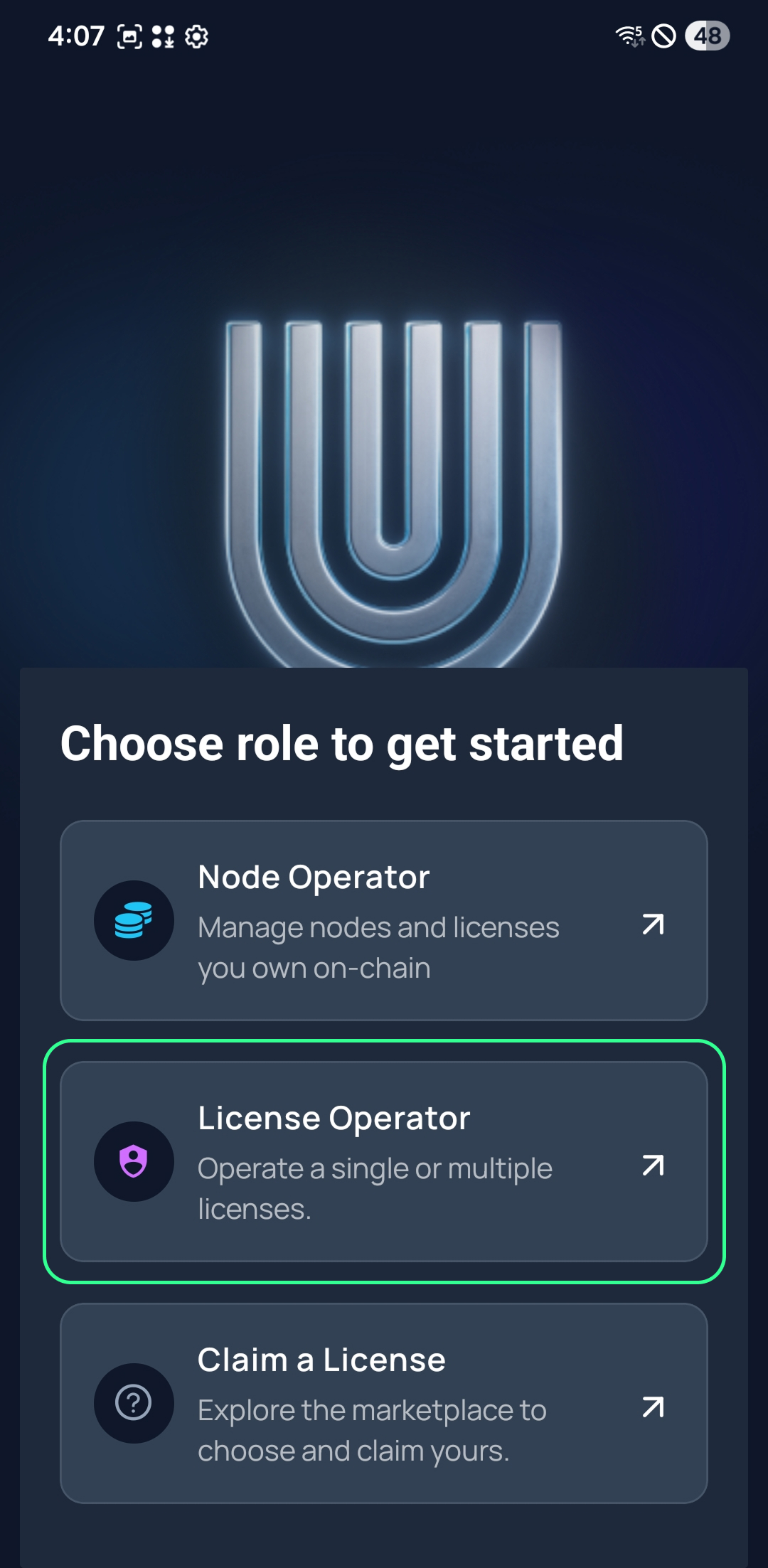
Open the Unetwork app and select “Unetwork.”
Confirm that you want to manage licenses from this device. This establishes your device as an active operator within the Unetwork ecosystem.
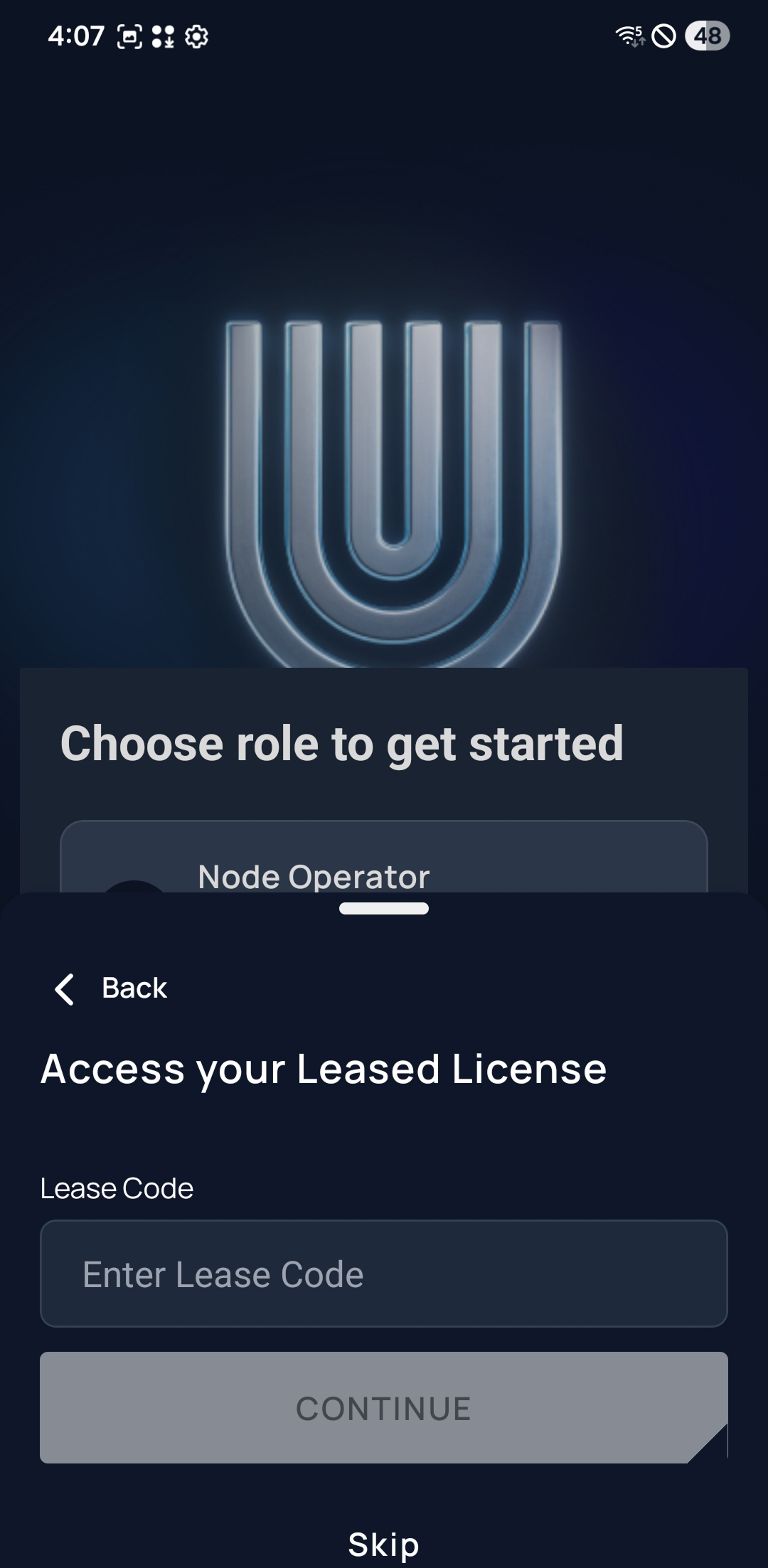
Input the Lease Code provided by your Node Operator.
If you don’t have a Lease Code yet, check our available codes at unitynodes.club or ask us on Telegram .
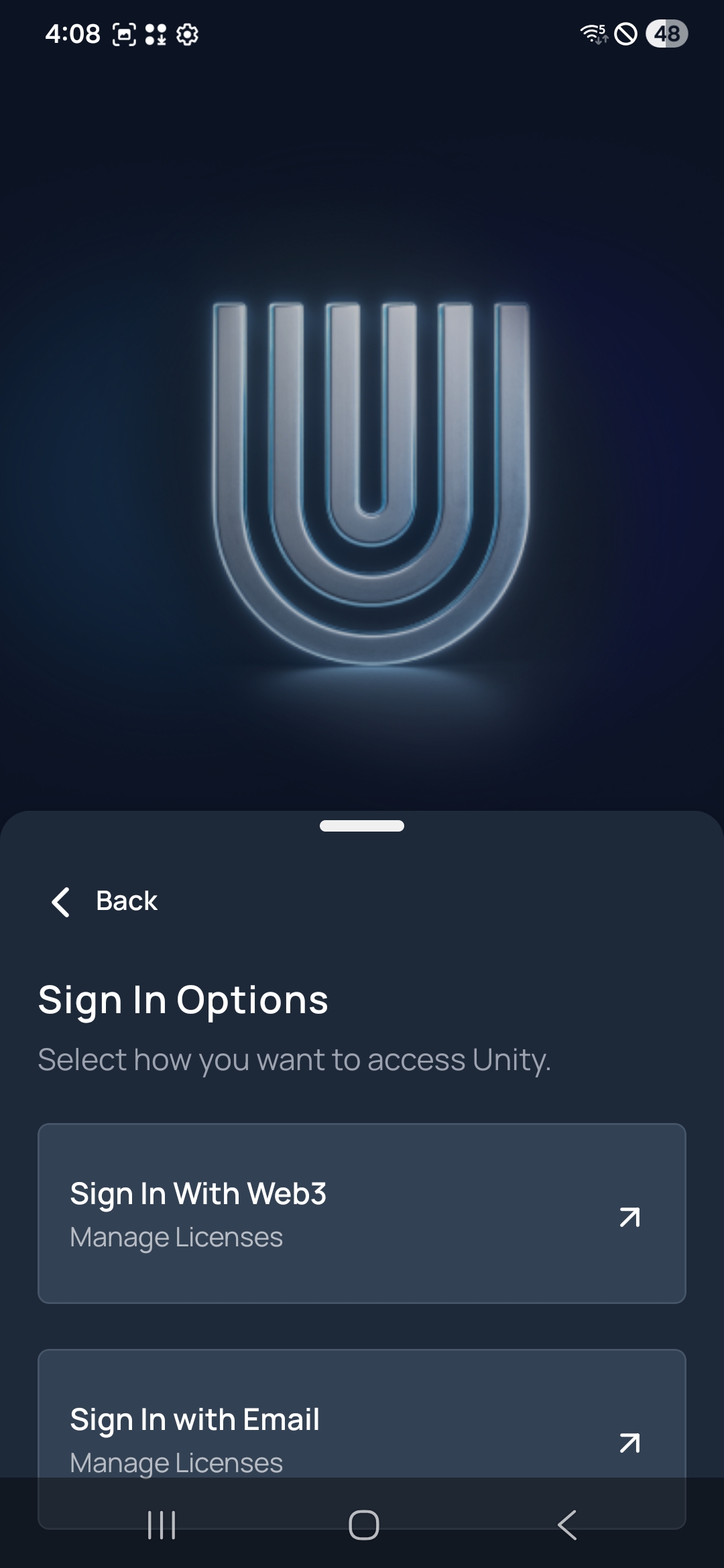
Complete sign-in to connect your account securely.
You can sign in using either a Web3 wallet or an email address with a one-time passcode (OTP). Choose whichever method you prefer to verify ownership and link your device.
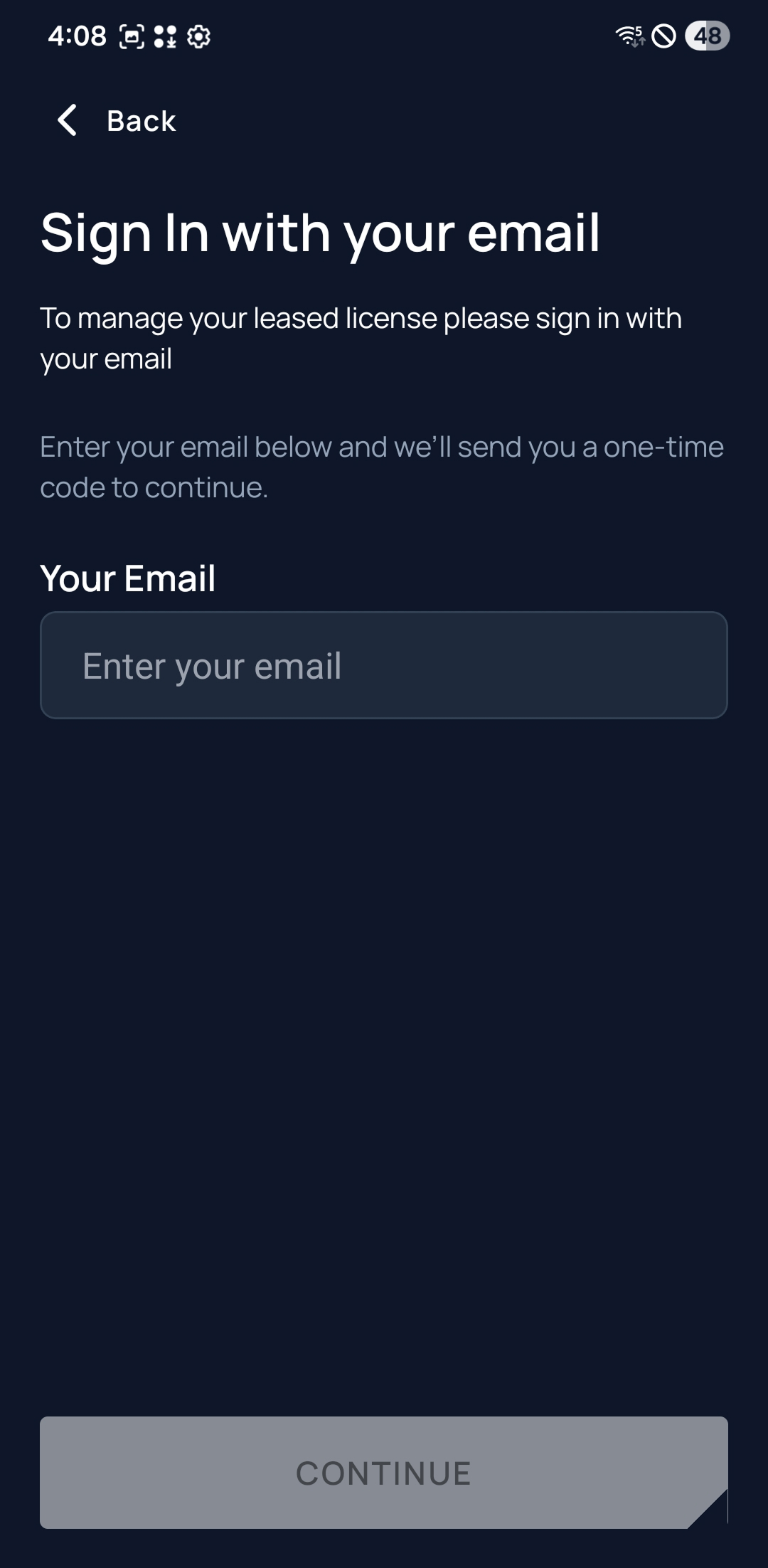
Enter your email to receive a one-time code.
Sign in with the email you want to use to manage your Unetwork account.
Type your address into the “Your Email” field, then press Continue to have a one-time code sent to your inbox.
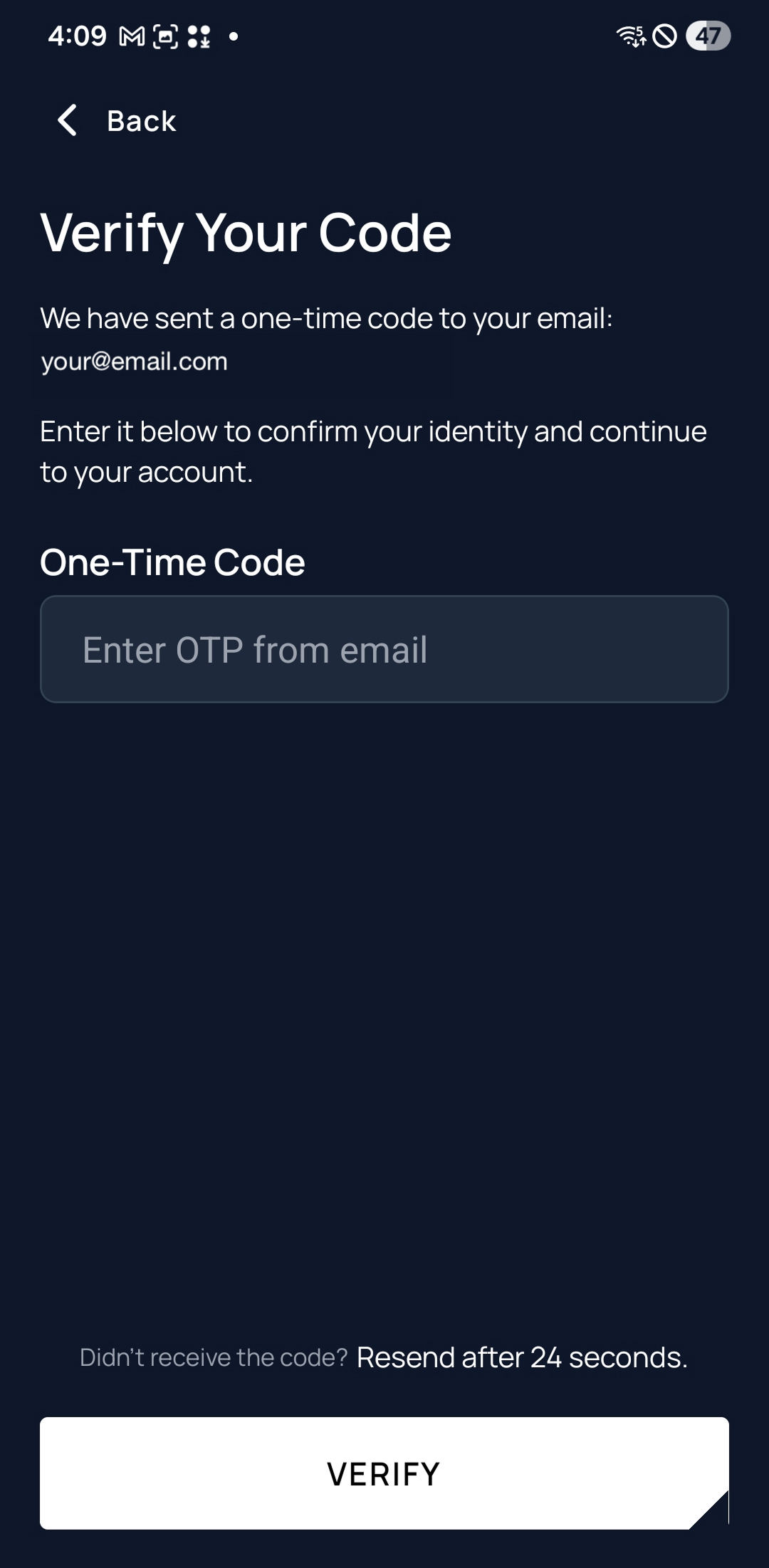
Check your email for the one-time passcode and enter it to finish signing in.
You will receive a one-time code to the email address you entered. Open the message to retrieve your code.
Enter the digits in the “One-Time Code” box, then tap Verify. If the code hasn’t arrived yet, you can request another after the countdown completes.
I-bind ang lisensya para maging active ang tasks at magsimulang kumita ng rewards.
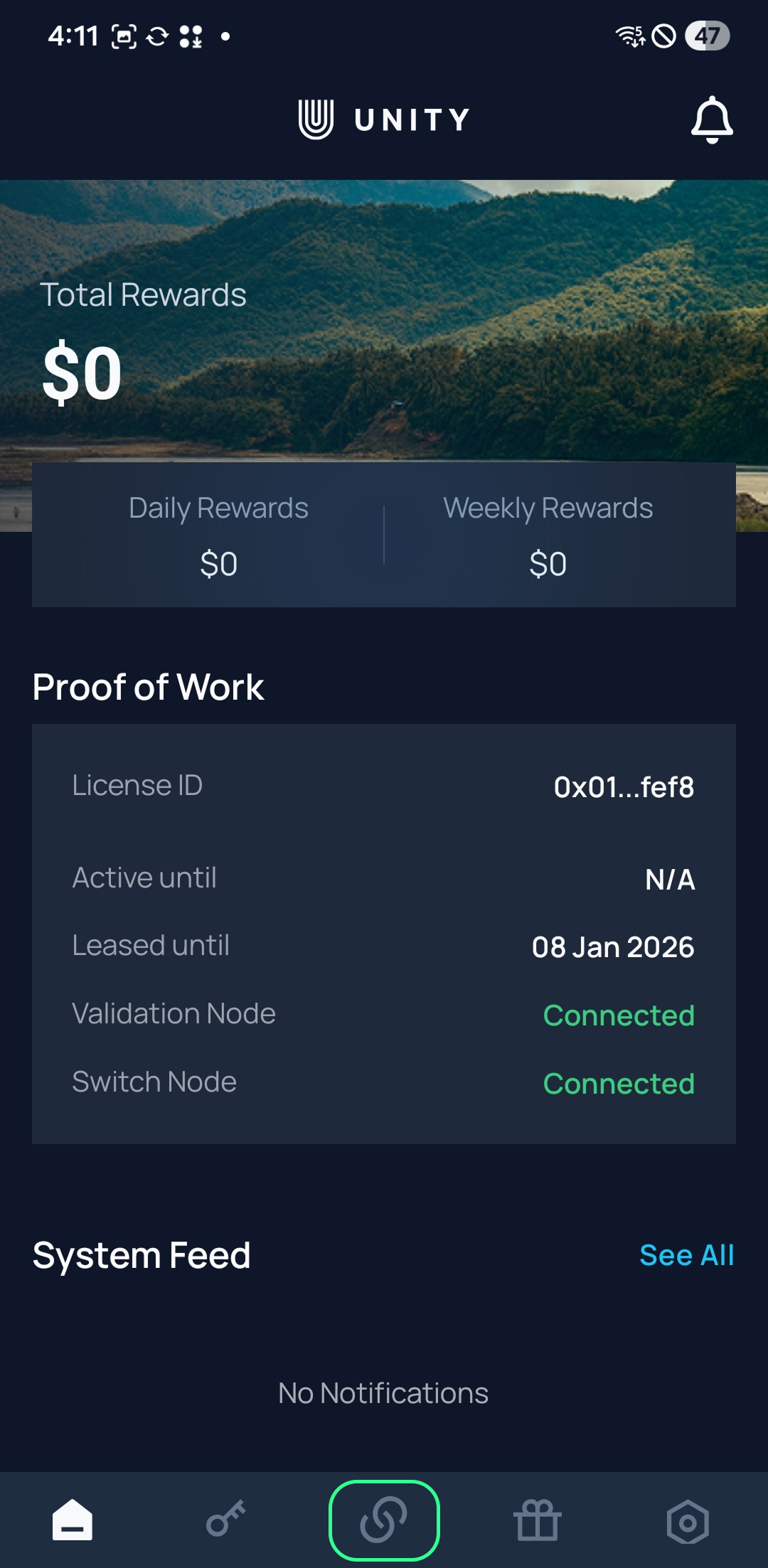
From the dashboard, tap Work in the bottom navigation to view or bind your device.
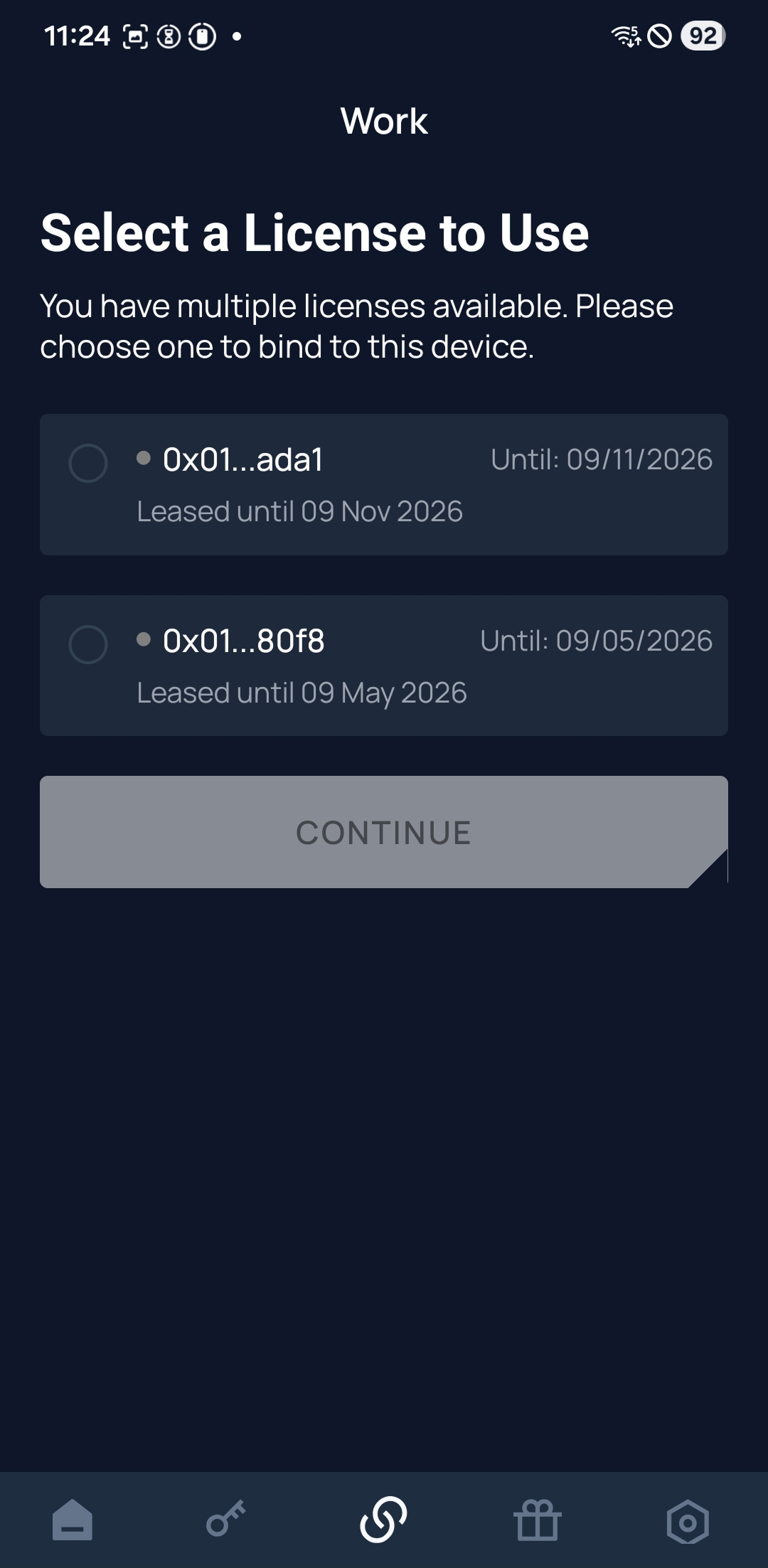
If your device isn’t yet linked, select one of your available licenses from the list.
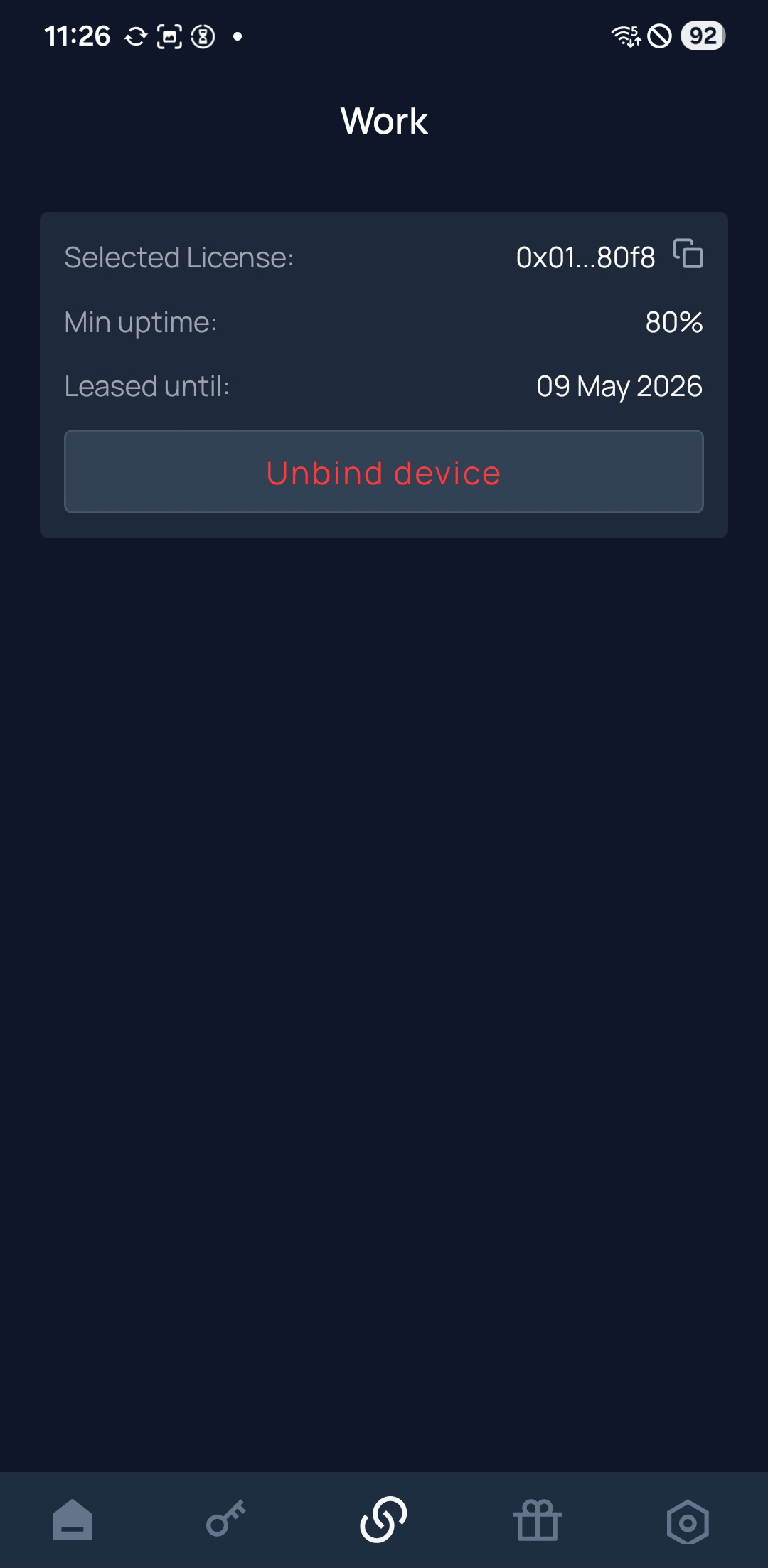
Once bound, the Work tab will show the license details currently linked to your device.
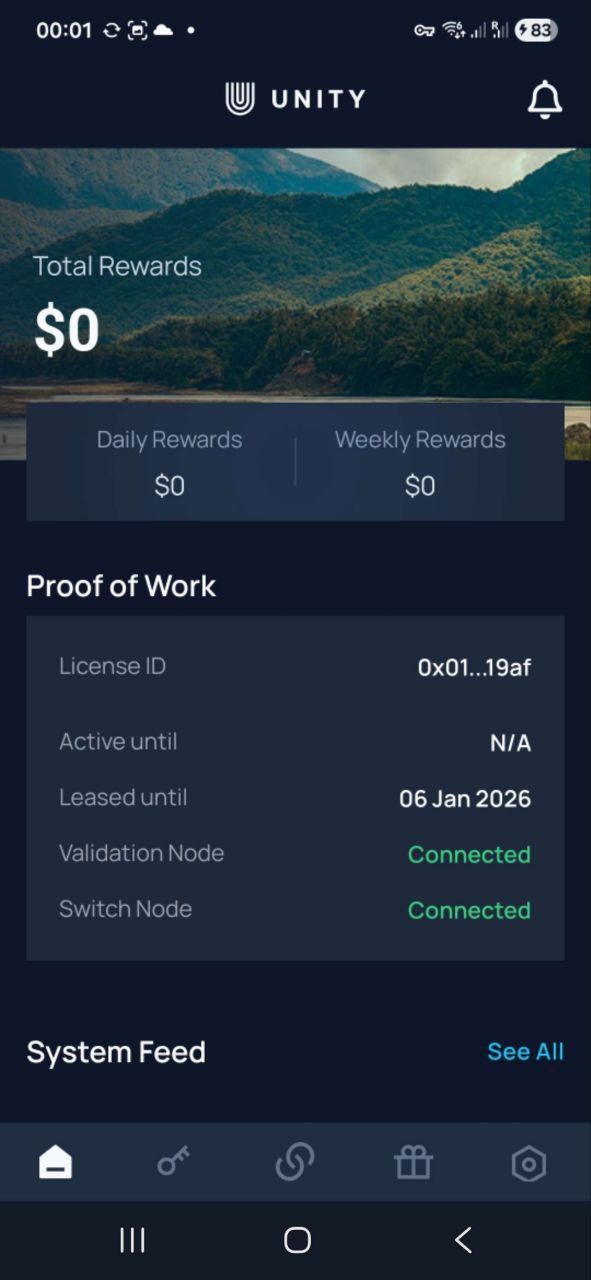
Makikita sa dashboard ang status ng lisensya, progress ng device tasks, at rewards sa real time.
The Unetwork Dashboard gives you a live snapshot of your Unetwork performance and rewards. From uptime tracking to connection performance and system alerts, everything you need to monitor your license is in one place.
Basahin ang terms ng lease para malinaw ang reward split, haba ng lease, at responsibilidad ng operator.
Specifies how earnings are divided between you and the Node Operator.
Clarifies who covers the monthly network fee required to activate and maintain your license.
Defines how long your agreement remains active before renewal.
Your Unetwork License is a special pass for one device (phone or tablet).
It’s a digital token that lets your device securely join the Unetwork network and earn rewards for verified work. Each license is issued and managed by a Unetwork operator under a signed lease agreement.
Single-device license
Assigned to one registered device, such as a phone or tablet.
Node-managed lease
Managed by your assigned node operator under a secure digital lease.
Network participation
Enables secure participation in network testing and rewards.
Ang tasks ang nagpapanatiling active ng device at mahalaga sa pag-generate ng rewards.
Device Verification
Your device performs a brief verification task.
On-Chain Recording
Summarized metrics are committed on-chain for transparency. Only non-sensitive measurements are stored — never personal data.
Insights Shared
The findings are securely shared with the service provider so they can identify and resolve network issues quickly.
Reward Distribution
Service fees from carriers are distributed among participants. Lease agreements between license owners and lessees are executed automatically according to the agreed reward split.
Every test your phone runs and every data point it collects helps build a more reliable, more connected world. Your participation improves coverage, speeds, and call quality for countless people who rely on the network every day.
As the network expands, your rewards potential grows with it. More participants mean denser coverage, richer data, and stronger foundations for new telecom services, which translates into greater earning opportunities for every participants.
Unetwork is a multi-carrier, multi-country edge network powered by everyday mobile devices. Its decentralized design scales quickly, reaches more regions, and uncovers real-world issues traditional audits miss, all with transparent data and lower costs.
Ang rewards ay nakadepende sa online time, completion ng tasks, at overall performance ng lisensya.
Based on early field data, Unetwork operators can expect average earnings of about $48 USD per month when all participation requirements are met. Rewards are shared equally between you and your Unetwork Node Operator under the standard 50/50 split.
Earnings are not region-specific; most locations show comparable results, provided your device remains connected, charged, and operating continuously.
If your license earns $96 in verified rewards, and your lease agreement specifies a 50/50 split, your share would be $48.
Panatilihing online at stable ang device para mas mataas ang rewards.
Mag-withdraw ng rewards sa app kapag available na sa balance mo.
Supported cryptocurrencies
The app supports major assets including USDC, USDT, ADA, ETH, BTC, DOT and others.
Bank Transfer
Rewards are withdrawable in partnered fiat options for supported regions.
I-double check ang network, fees, at wallet address bago mag-confirm.
Alamin ang operating costs sa pagpapatakbo ng active Unetwork license.
To activate and maintain your license, a monthly network fee of $1.99–$3.99 applies. Depending on your lease terms, this fee may be covered by you or your Operator.
Data usage
The app uses around 7 GB per month for network testing. Wi-Fi is prioritized whenever available, but some verifications require cellular data, so a portion may come from your mobile plan.
Alamin ang service limits, data policy, at security best practices ng Unetwork.
Privacy
The app does not access or store personal data, contacts, messages, or files. Only anonymized performance metrics are recorded for network verification.
Data consumption
Uses around 7 GB per month for network testing. Wi-Fi is preferred, but some verifications require mobile data.
Battery impact
Background tasks may slightly increase power use, roughly comparable to other light background service apps.
Network metrics
Signal strength, latency, call quality, and connection reliability.
Device info
Anonymized device type and OS version, used for accuracy and to prevent duplicate results.
Location data
Coarse region-level data to locate network faults.
Timestamps & identifiers
Anonymous timestamps and network IDs link test results and verify authenticity.
Fault data
Error types and quality metrics used to classify and record verified network issues.
Karaniwang tanong tungkol sa setup, operation, rewards, at privacy para sa operators.