Ethereum
Wallet address
0x0aeCF37A2118e179BAcEa59FBab4f52c7467626A
ETH
USDT
USDC
SHIB
Last updated:
Follow a guided flow to access your rewards, choose crypto or wire transfer, confirm payout details, lock in a live quote, and track your payout from start to finish.
Minimum withdrawal amount
$5 USD
Maximum per withdrawal
$150 USD
Payout methods
Crypto wallet or wire transfer
Before confirming a withdrawal in Unity App, check which payout wallets currently have funds on your selected network.
Wallet address
0x0aeCF37A2118e179BAcEa59FBab4f52c7467626A
ETH
USDT
USDC
SHIB
Last updated:
Wallet address
0xf026ea9101557c82d4c772eeda030b8a7bf7bf9f
BNB
USDT
USDC
Last updated:
Wallet address
BcSEuHLka4Vfu4oyfYSdYBYPjYL3cDh6hoXJvuixYV6i
SOL
Last updated:
Wallet address
addr1vxnr555xqtwpj6txgankefu0zlwqq5wy6f3udqrr3gpv9mcn384hj
ADA
Last updated:
Wallet address
raE89sxxTmcL6AcZbFm9mgDDZUXaF4ZJJM
XRP
Last updated:
You will see Redeemable Rewards and Total Rewards at the top.
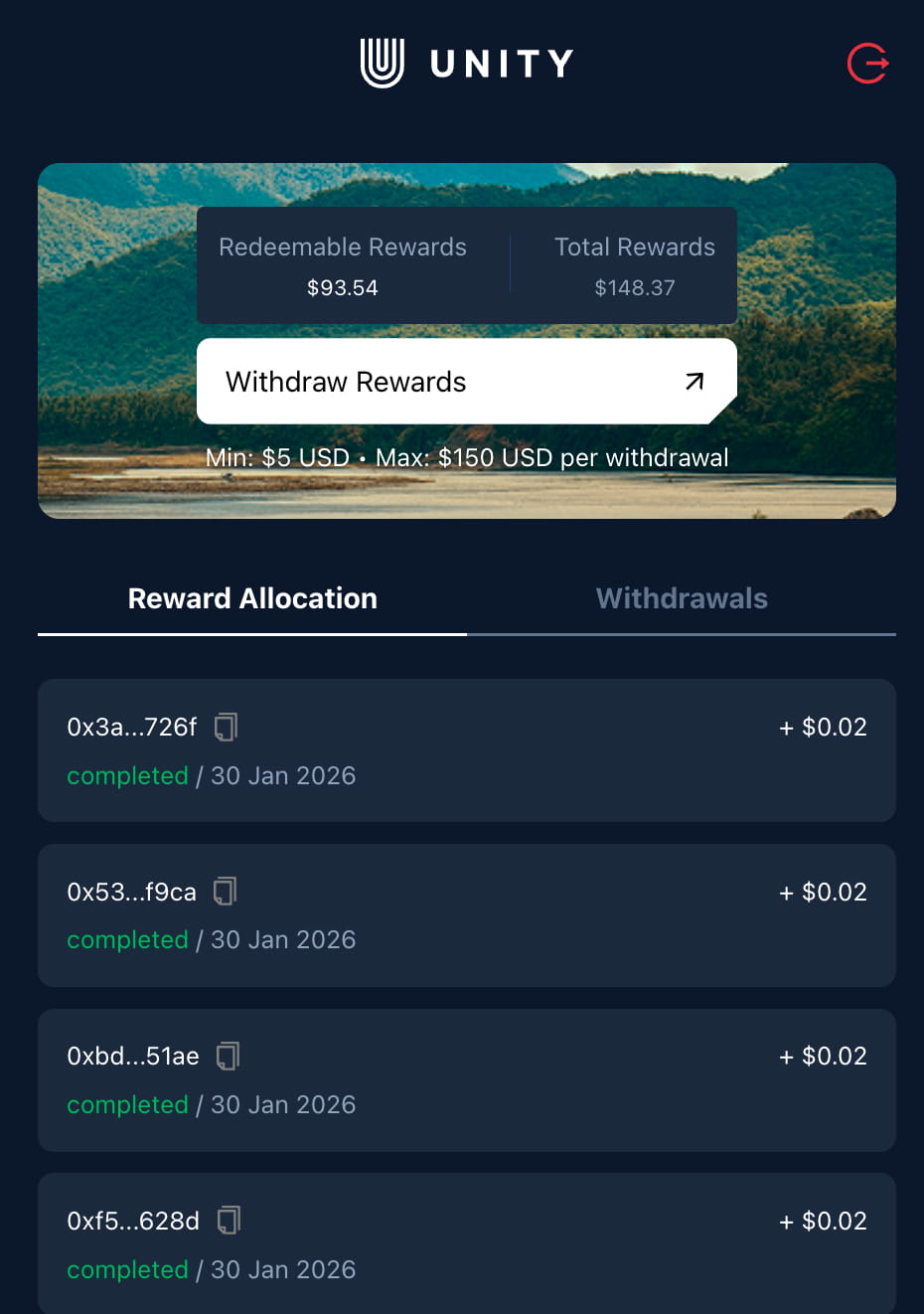
Start by heading to manage.unitynodes.io. Tap “Get Started,” select your role as a License Operator, and log in. Make sure you sign in with the same method you used on your mobile device so your rewards load correctly.
Step 1
Go to manage.unitynodes.io and select to launch the withdrawal journey.
Step 2
As a ULO, select License Operator (operate a single or multiple licenses) to access your rewards.
Step 3
Pick the same sign-in option (web3 wallet or Email + OTP) you used on your phone.
Step 4
Check Redeemable Rewards (available now) and Total Rewards (lifetime) at the top of the dashboard.
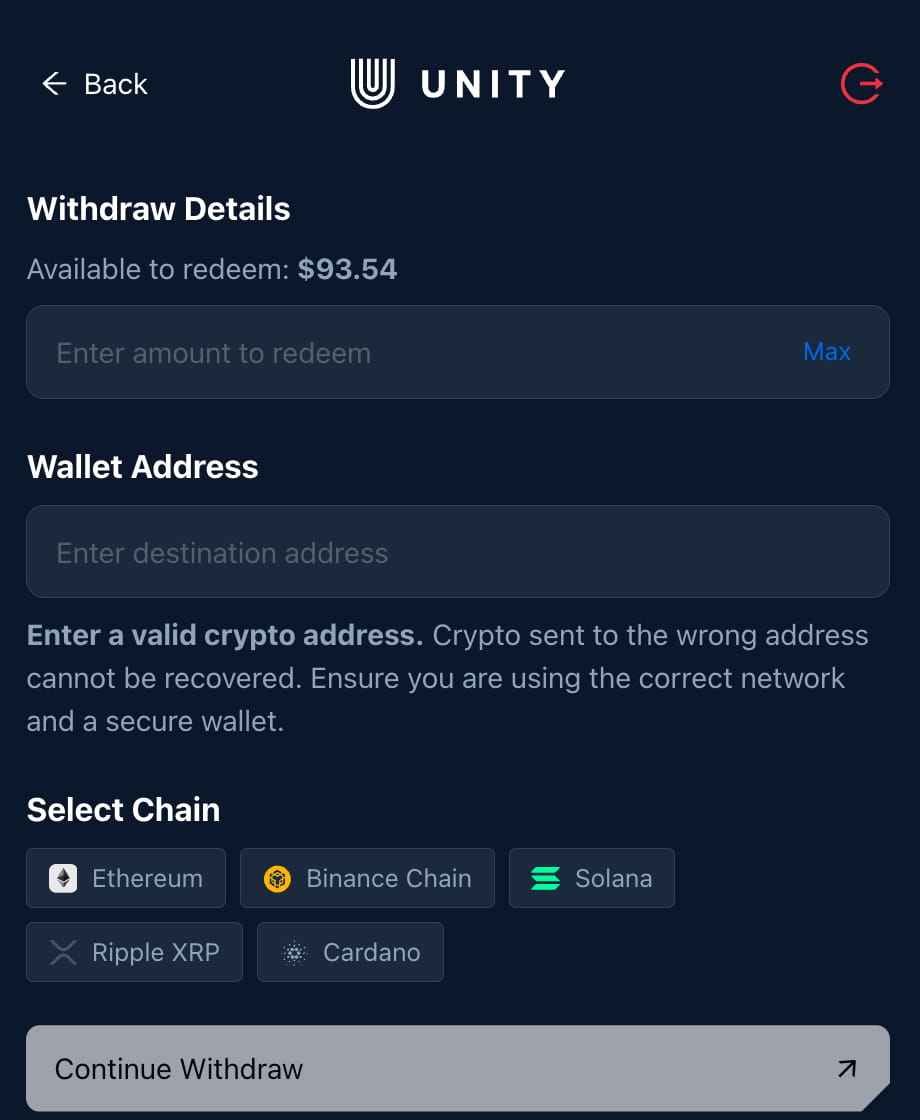
Tap Withdraw Rewards to open the form. Choose your payout method first, then complete the required details for crypto or wire transfer.
Step 1
Tap the button to open the withdrawal details screen for your selected device(s).
Step 2
Select either Crypto wallet payout or Wire transfer to your registered bank account.
Step 3
Paste a valid wallet address, then choose a supported chain and asset. Example: Ethereum -> USDT.
Step 4
You can register here: manage.unitynodes.io/rewards/bank-account. Double-check account details.
Step 5
Select to review the live quote, including fees and final payout details, before confirming.
Crypto flow example shown: choose chain + asset. Wire transfer uses your registered bank account instead of chain selection.
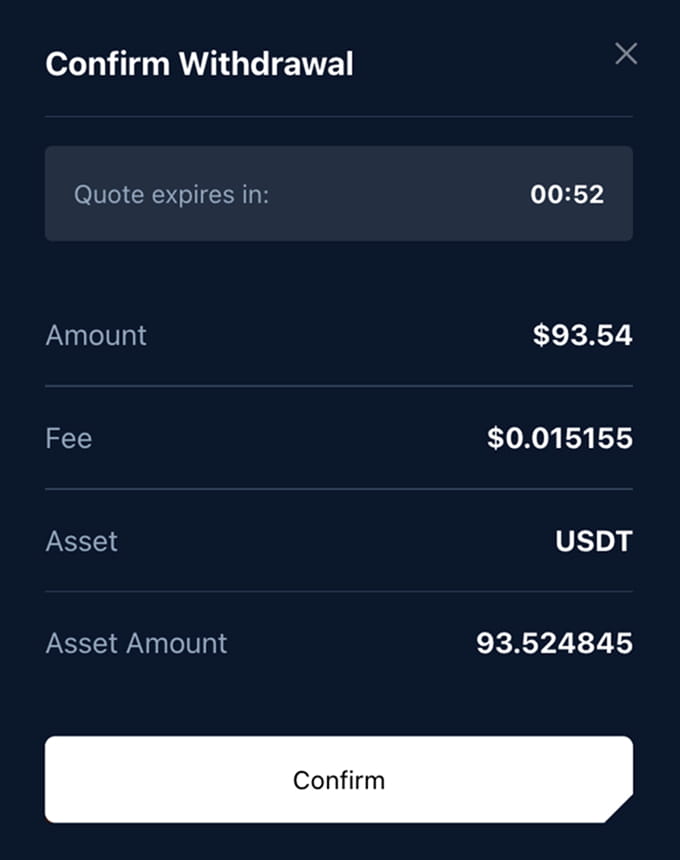
After you select Continue Withdraw, Unity loads a live quote. The quote includes the amount, fee, and your payout destination details for the selected method. Confirm the details and submit while the quote is active.
Quotes update with market prices. Review the amount and fee before confirming.
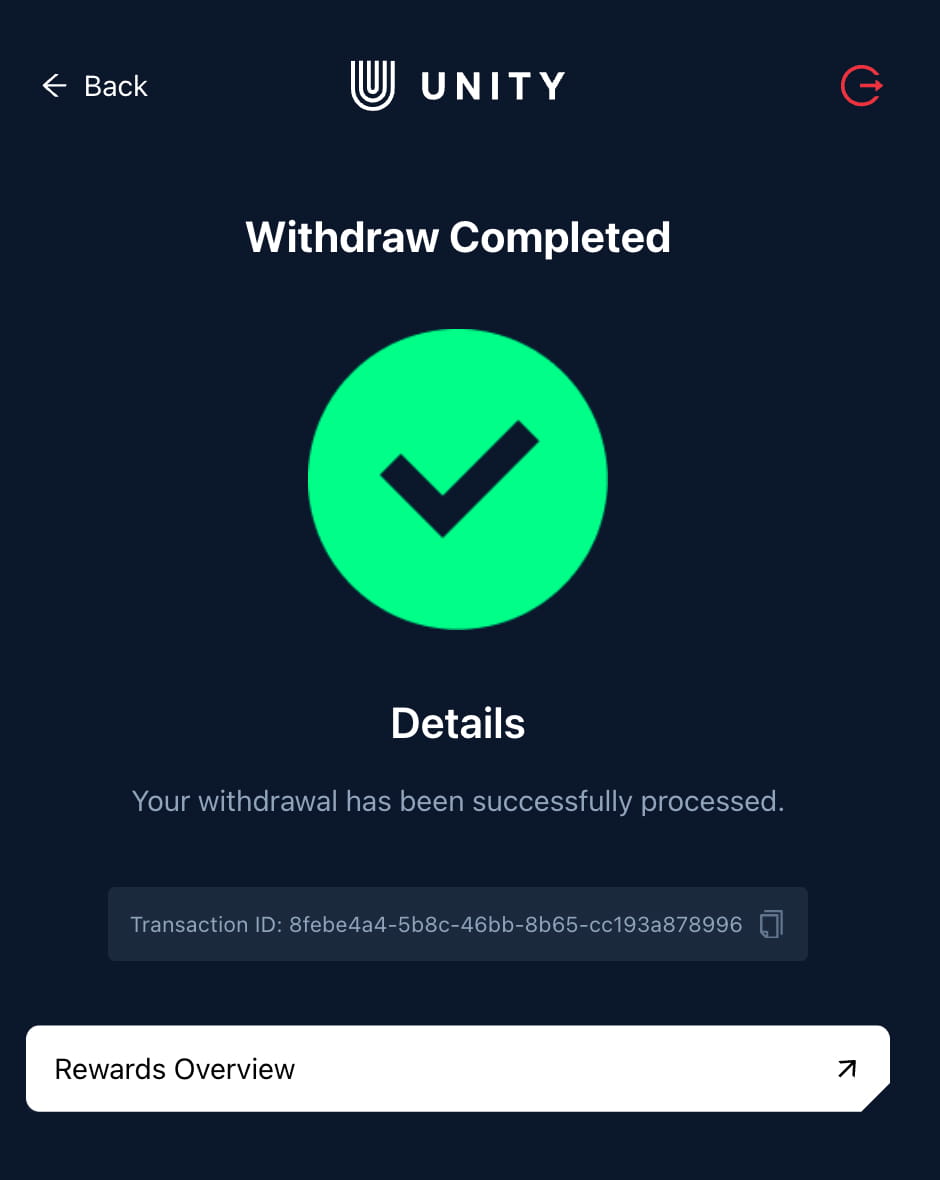
After confirmation, you will receive a transaction ID so you can track progress.
Wire transfer payouts are expected to go live in April. Register your bank account now so your profile is ready.
Once confirmed, you will see a success screen with your transaction ID. Tap Rewards Overview to track your withdrawal history and keep tabs on past payouts.
It is not limited. If you have available rewards, you can withdraw them. The limit per withdrawal is $150 USD.
Both are stable assets. Choose the one your wallet or exchange supports on your selected chain.
Complete bank account registration at https://manage.unitynodes.io/rewards/bank-account. Wire transfer payouts are expected to go live in April.
Use caution. Some exchanges require a memo or specific network. A personal wallet is safest if you are unsure.
Open Rewards Overview in the portal to view your withdrawal history and transaction IDs. Check also your wallet to see the transactions. It may take a few minutes to show.
Contact official support at support@unitynodes.io or send us a message on Telegram.